Repairing PCBA Boards: Safety, Component Protection, and Repair Quality
When repairing PCBAs, it is essential to balance safety, component protection, and repair quality to avoid secondary damage or safety hazards. Below are key precautions:
Table of Contents
I. Safety Precautions: Protecting Personnel and Equipment
1. Anti-Static Measures
- Electrostatic-sensitive components (ICs, MOSFETs, sensors, etc.) require anti-static wrist straps (properly grounded) and an anti-static mat on the workbench. Avoid touching component pins directly (especially CMOS devices).
- Store components in anti-static bags or containers to prevent static generation through friction.
2. Power Safety
- Disconnect all external power sources and remove batteries (for battery-powered devices) before repair to avoid electric shock or component burnout.
- During power testing:
- Verify power voltage/current against PCBA specifications.
- Use current-limiting resistors or adjustable power supplies; ramp voltage gradually to prevent overvoltage damage.
- Immediately cut power if smoking, overheating, or abnormal sounds occur. Investigate short circuits or faulty components.
- During power testing:
II. Pre-Operation Preparation: Goals and Tools
1. Understand Circuit Principles
- Review schematics and component layout diagrams to identify fault areas, key components (power modules, MCUs, interface circuits), and their functions. Avoid blind operations.
- Mark critical test points (power pins, GND, signal I/Os) for efficient measurement.
2. Tool Preparation
- Basic Tools:
- Anti-static tweezers, precision screwdrivers (size-matched to prevent stripping).
- Temperature-controlled soldering iron (300–350°C, adjustable per component), hot air gun (for multi-pin components), solder sucker, solder wire (0.3–0.8mm diameter), flux (reduces oxidation, improves reliability).
- Testing Tools:
- Multimeter (voltage/resistance/continuity), oscilloscope (signal waveforms), short-circuit detector, magnifier/microscope (solder joint inspection).
III. Repair Process: Standardized Operations
1. Desoldering/Soldering Protocols
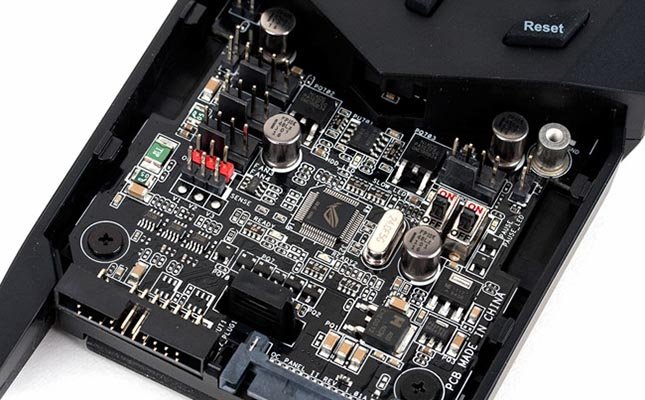
- Desoldering: Avoid brute force. For SMDs or dense-pin chips (QFP/BGA), use hot air guns for even heating or soldering irons with desoldering braid to prevent pad lifting or copper trace damage.
- Soldering: Control temperature/time. Prolonged heat can damage components (capacitors, plastic ICs) or carbonize PCB substrates.
- Post-Soldering Inspection: Check for cold joints (incomplete wetting) or bridging (adjacent pin shorts). Correct with braid/iron; use magnification for verification.
2. Component Protection
- Polarized components (electrolytic capacitors, diodes, transistors, ICs) must be installed in original orientation. Reversal risks shorts or burnout.
- Handle sensitive parts (MOSFETs, crystals) with anti-static tweezers; disconnect power pins during soldering.
- Test removed components with a multimeter before reuse to avoid reinstalling faulty parts.
3. PCB Protection
- Avoid sanding, drilling, or scraping multilayer PCBs to prevent internal trace damage.
- Clean boards with anhydrous alcohol or specialized cleaners. Ensure full drying before power-up to prevent liquid-induced shorts.
IV. Testing & Verification: Step-by-Step Diagnostics
1. Pre-Power Checks
- Test for power-to-ground shorts using a multimeter’s continuity mode (normal = no beep). Investigate solder bridges or failed components.
- Verify all connectors/wires are correctly seated; avoid reversed polarity.
2. Staged Power Testing
- For initial power-up:
- Use current-limiting resistors OR apply voltage below the rated value (e.g., 3V for a 5V device).
- Monitor for abnormal heating/smoking. Gradually increase to rated voltage if stable.
- Check component temperatures (e.g., power ICs, CPUs) by touch. Power down immediately if >60°C; investigate overloads/shorts.
V. Environment & Best Practices
- Maintain a dry, dust-free workspace to prevent leakage currents or poor contacts.
- Secure screws/small components to avoid loss or PCB shorts.
- Label partially repaired boards (fault symptoms, replaced components) for future troubleshooting.
By adhering to these measures, repair risks are minimized, and PCBA repair success rates and reliability are maximized.
Get your exclusive quote immediately: fill out the form or send an email directly.As a professional PCB manufacturer for hobbyist , we will provide you with a quote service within 24 hours. Enjoy free DFM optimization and a 10% discount on SMT patches for your first order!