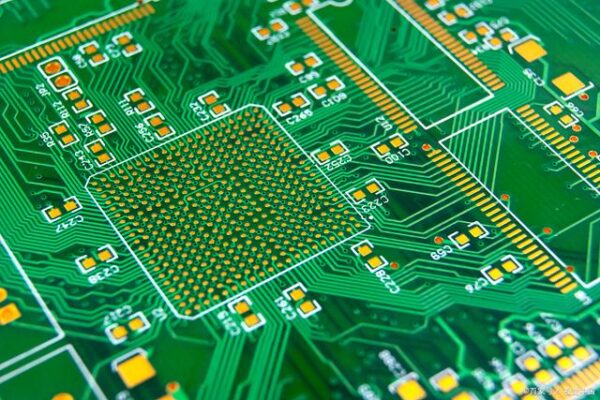
Soldering is a fundamental skill in electronics, allowing for secure and conductive connections between electronic components and printed circuit boards (PCBs). Whether assembling a prototype or repairing a circuit, proper soldering techniques ensure durability, reliability, and optimal electrical performance. This guide covers essential tools, step-by-step soldering procedures, and best practices for achieving high-quality solder joints.
Table of Contents
Essential Tools and Materials
Before starting the soldering process, gather the following tools and materials:
Soldering Iron: A temperature-controlled soldering iron (15W–60W) with a fine tip is recommended for PCB work.
Solder Wire: Use lead-free or leaded solder (e.g., 60/40 tin-lead or RoHS-compliant alternatives) with a diameter of 0.5mm–1mm.
Flux: Flux helps clean oxidation and improves solder flow, ensuring better joint formation.
Soldering Stand: A secure holder for the soldering iron to prevent accidental burns.
Desoldering Tools: A solder wick or pump for correcting mistakes and removing excess solder.
PCB and Components: The printed circuit board and the necessary through-hole or surface-mount components.
Tweezers & Helping Hands: Useful for holding small components in place while soldering.
Isopropyl Alcohol & Brush: For cleaning flux residue after soldering.
Step-by-Step Soldering Process
1. Preparing the PCB and Components
Ensure the PCB is clean and free of dust, grease, or oxidation.
Insert through-hole components into their designated positions, bending leads slightly to hold them in place.
For surface-mount components, apply a small amount of solder paste to the pads.
2. Heating the Joint
Turn on the soldering iron and set the temperature between 350°C–400°C (660°F–750°F) depending on the solder type.
Hold the soldering iron tip against both the pad and the component lead for 1–2 seconds to evenly heat the joint.
3. Applying the Solder
Touch the solder wire to the heated joint (not directly to the soldering iron) until it flows and covers the pad and lead.
Remove the solder wire first, then the soldering iron to allow the solder to cool and solidify naturally.
The ideal solder joint should have a smooth, shiny, and slightly concave appearance.
4. Inspecting and Cleaning the Solder Joints
Visually inspect each joint for proper wetting and uniformity.
Use a multimeter to check for connectivity and ensure there are no cold joints or short circuits.
Clean the PCB with isopropyl alcohol and a brush to remove flux residues.
Common Soldering Mistakes and Fixes
| Issue | Cause | Solution |
| Cold Joint | Insufficient heat applied | Reheat and apply solder |
| Excess Solder | Too much solder applied | Use a solder wick to remove excess |
| Solder Bridge | Solder connects adjacent pins | Use flux and reheat to separate |
| Dull or Grainy Joint | Overheating or poor-quality solder | Use fresh solder and controlled heat |
Best Practices for High-Quality Soldering
Use the right soldering temperature to avoid damage to components.
Apply flux to improve solder flow and prevent oxidation.
Work in a ventilated area to avoid inhaling fumes from flux and solder.
Practice on scrap PCBs to improve precision before working on critical projects.
Conclusion
Mastering soldering techniques is crucial for building and repairing electronic circuits. By using the correct tools, following proper procedures, and avoiding common mistakes, anyone can achieve professional-grade solder joints. Whether for hobbyist projects or professional applications, good soldering ensures a strong, reliable electrical connection in any PCB assembly.